Vulnerable Libraries
When you're learning to code, it's easy to assume that every problem demands a new solution. But in practice, developers often use libraries to save time and avoid duplicating effort. That choice, however, comes with trade-offs. Every time you introduce someone else's code, you are inheriting their assumptions, their design decisions, and potentially their vulnerabilities.
Building secure programs means being deliberate about what you include. Libraries can introduce thousands of lines of behavior all with a single import. Secure programs aren't just written carefully, they're built with attention to where each component comes from, how it's maintained, and whether it aligns with the program as a whole.
What is a Library?
In programming, a library is a bundle of reusable code, often packaged as functions, classes, or modules, written to handle specific tasks or common problems. Instead of writing every feature from scratch, developers use libraries so they can focus on what makes their program unique.
Standard Libraries
Some libraries come with the programming language itself. These are known as standard libraries, and they provide support for common tasks, like printing text, reading files, or doing calculations. Standard libraries are often the most trustworthy code you'll import, not just because of their tight integration with the language, but because their behavior is transparent.
In C or C++, the standard library can print text on the screen with printf or std::cout:
Third-Party Libraries
Beyond the standard, many libraries are developed and shared by the programming community. These are known as third-party libraries, and they often target more specialized tasks, like data visualization or machine learning. While powerful, third-party libraries aren't part of the language and don't go through the same vetting process. They depend on other people for updates. This introduces a different level of risk, especially when these libraries are used in sensitive contexts.
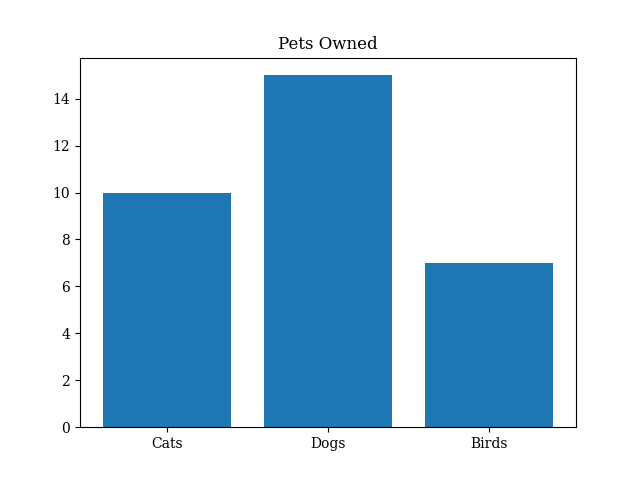
In Python, matplotlib makes it easy to create charts with a few lines of code:
import matplotlib.pyplot as plt

# Data to plot
labels = ['Cats', 'Dogs', 'Birds']
counts = [10, 15, 7]

# Create a bar chart
plt.bar(labels, counts)
plt.title('Pets Owned')
plt.show()
How Do Libraries Work?
When you import a library, you're not just pulling in tools, you're expanding the behavior of your program through someone else's design. Most libraries offer clean, well-documented interfaces, which makes them easy to use. But those interfaces rarely tell the whole story. Implementation details, like how it processes data, could introduce bugs if they don't align with your program.
Library Interfaces
Libraries integrate into your program through defined interfaces. These interfaces expose functions, types, and behavior that your code can call directly, sometimes in a single line. This simplicity is by design to abstract away complexity. But under the hood, they operate according to their own logic and assumptions that aren't always obvious.
In C, the standard library offers powerful utilities, but many of them were designed with speed and flexibility in mind, not safety. For example, strcpy can copy characters from one string to another but doesn't check whether the destination is large enough. It assumes you're managing this correctly, unlike strncpy which gives you control over how many characters are copied.
C++ improves on C's implementations by introducing safer abstractions. One of them being std::string, which replaces manual memory handling with a managed, dynamic string type.
These differences reflect choices that influence both usability and risk. To use a library safely, it's not enough to know what it does, you need to understand how it behaves. That's where documentation becomes more than a reference, it becomes a tool to make informed decisions.
#include <iostream>
#include <string>

int main() {
    std::string username = "VeryLongUsername";
    std::cout << "Username: " << username << '\n';
    return 0;
}
Library Documentation
Using a library is not just about calling functions, it's about understanding the contract you're entering with someone else's code. Every function carries expectations: what is accepts and what it returns.
In well-maintained libraries, documentation often includes:
-
Function Descriptions: Clear explanations of what a function does, what inputs it expects, and what outputs it produces. This helps you match your data with the intended usage.
-
Error Handling: Not everything goes according to plan. Good documentation will highlight potential failure points, like invalid arguments, and guides you on how to respond gracefully.
-
Examples: Real snippets that show how the library is used in practice. Good examples demonstrate typical patterns and alert you to best practices.
Library Source Code
Documentation tells you what a library is supposed to do. The source code tells you what it actually does. By going into the code, you gain insight into:
-
Actual Behavior: Does the function sanitize input as promised? Are error conditions truly handled, or just assumed to not happen?
-
Hidden Dependencies: Libraries often built on top of other libraries. Reading the source code can reveal nested dependencies.
-
Update Patterns: Is the library actively patched? Are recent updates addressing bugs or vulnerabilities? Reviewing the change log can help determine if its reliable.